
Getting bass right in a home office is harder than buying bigger speakers or turning up the sub knob. Most problems come from setup mistakes that make the low end sound louder or thinner than it really is.
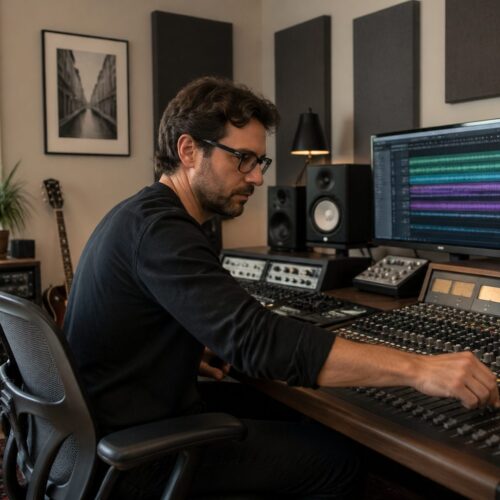
If you mix or edit audio at a desk, you are sitting inside a tiny acoustic lab full of reflections and cancellations. The goal of how to set up monitors for accurate bass is to make the room lie to you less.
I have heard plenty of “bass-heavy” home setups that were actually missing the fundamental notes, then adding a boomy hump on top. When you fix placement, monitor stands, speaker height, and toe-in, the bass stops playing tricks and starts sounding like bass.
What “accurate bass” sounds like in a small room
Accurate bass in a small room sounds even, not impressive, and that is the point. Kick drums have a clear punch and a clear tail, without one note hanging around longer than the rest.
Bass guitar lines stay readable as you move between notes, instead of one or two notes jumping out. If your room is lying, you will keep “fixing” the wrong note with EQ and your mixes will travel poorly.
The biggest giveaway is consistency at normal listening levels. If the bass disappears when you listen quietly, you are probably sitting in a cancellation null.
Another giveaway is the temptation to overdo 60 to 120 Hz because the room sounds thin. When you learn how to set up monitors for accurate bass, you stop chasing loudness and start trusting what you hear.
In a small room, accurate bass also sounds like the low end is attached to the groove, not floating around the room. You should be able to tell whether the bass is late, early, tight, or lazy without guessing.
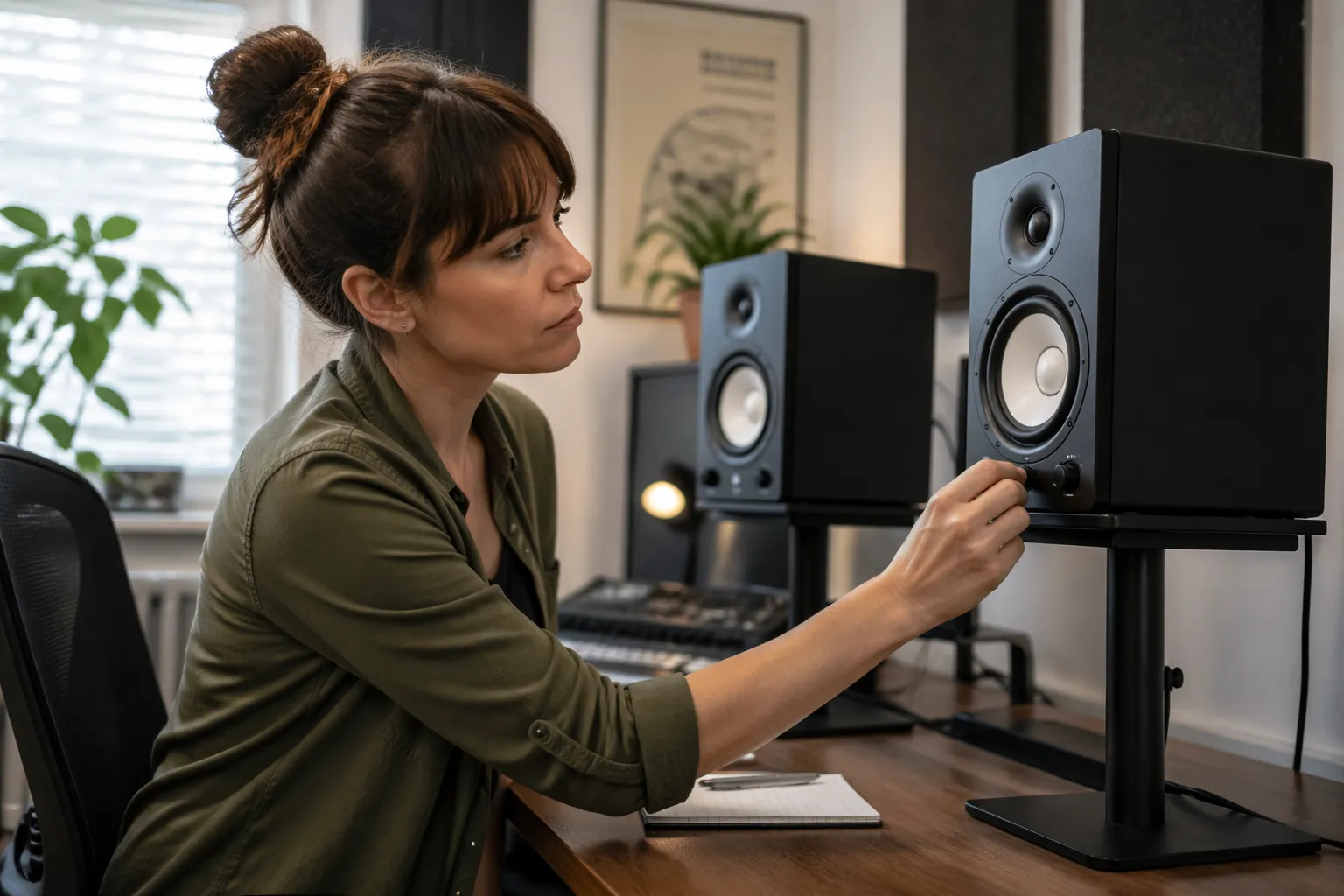
The low end should not change character when a song moves from verse to chorus, because the room is not supposed to be part of the arrangement. If the chorus suddenly feels twice as bassy even though the bass part barely changed, the room is exaggerating a band of frequencies.
Accurate bass lets you hear pitch down low, not just energy. You should be able to hum the root notes of a bass line even when the part sits under guitars and keys.
It also means the low mids do not blur the bass into the kick, because that blur is often a room problem disguised as a mix problem. When the setup is right, you can decide how much 150 to 300 Hz warmth you want instead of fighting a constant fog.
Another test is whether you can judge sub content without panic. If every track sounds like it has too much 40 Hz, you are probably hearing a room peak rather than the truth.
Accurate bass is boring in the best way, because it does not hype your favorite notes. The reward is that your mixes stop coming out thin in the car or boomy on a soundbar.
You can also check accuracy by playing a simple scale on a synth bass and listening for equal loudness from note to note. In a bad room, you will hear a few notes explode and a few notes vanish, even though the synth is perfectly even.
The goal is not to remove all room sound, because that is unrealistic in a home office. The goal is to reduce the biggest lies so your decisions are consistent and repeatable.
Stand height and isolation: avoiding false low end
Desk setups often create fake bass because the speakers couple into the desktop, which acts like a resonant panel. You can hear this as a “thump” that shows up on some notes and vanishes on others.
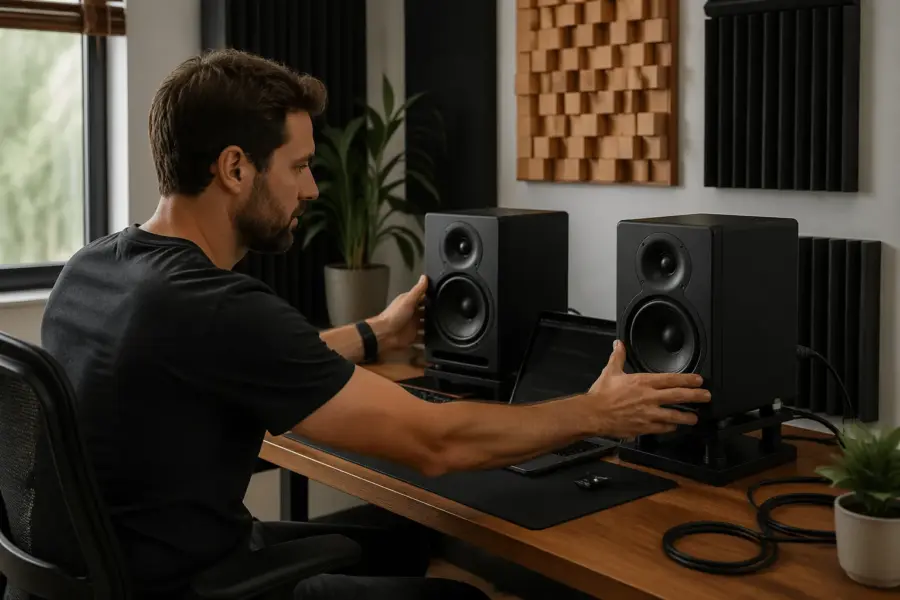
Proper monitor stands help because they decouple the speaker from the desk and put the tweeter where it belongs. If you must keep speakers on the desk, use dense isolation pads and keep them away from the back edge.
Speaker height matters more than people admit, because your ear level sets the whole balance of direct sound versus reflections. When the tweeter is too low, you tilt the speaker up and aim it at your face, then the desk reflection gets louder.
Set speaker height so the tweeters are at ear level when you sit in your normal posture, not when you sit up straight like a photo shoot. If you change chairs or add a seat cushion, recheck height because a one inch change can shift the perceived bass balance.
Isolation is not only about stopping vibration from annoying your downstairs neighbor, it is about stopping the desk from becoming part of the speaker. A desk that resonates will smear transients, which makes bass feel slower and less defined.
Monitor stands should be stable enough that you cannot rock them with a gentle push. If the stand wobbles, the speaker is effectively moving, and that movement can soften the attack that tells you where the kick sits.
Pay attention to what the stand is sitting on, because carpet can make tall stands sway and change angle over time. A simple platform or spikes with protective cups can make the geometry stay consistent day to day.
If you use isolation pads, avoid the super-soft foam that compresses unevenly and tilts the speaker. A slight tilt difference left to right can change imaging, and imaging changes can trick you into thinking the bass is uneven.
Another quiet problem is having the speaker half on the desk and half on a pad, which creates uneven support and rattles at certain frequencies. Bass accuracy depends on eliminating little noises that mask the real low end.
Try to keep the speaker baffle forward of large reflective objects on the desk, like a raised laptop stand or a tall audio interface. When the desk area in front of the speaker is cluttered, you get extra reflections that change perceived punch.
If you are using very small monitors, it is tempting to put them on tall stands and crank them, but that can make the room dominate the low end. A nearfield setup works best when the direct sound is strong, so keep the listening distance reasonable.
Finally, do not confuse “more bass” with “better bass” after you decouple the speakers. Often the fake desk thump disappears, and the first impression is that you lost low end, but what you really lost is distortion and resonance.
Creating a stable triangle and keeping symmetry
Your monitors and your head should form an equilateral triangle, and I mean measured, not eyeballed. A tape measure beats “close enough” because small differences pull the stereo image off center and mess with bass perception.
Symmetry is the quiet hero of low end accuracy in a home office. If one speaker is near a side wall and the other has open space, the bass response will not match and you will chase phantom problems.
Even if you do not care about a perfect stereo image, symmetry still matters because low end decisions depend on balance. When one side of the room is louder in the lows, you will unconsciously mix to compensate and your bass will lean.
The triangle should also be stable in the sense that it stays the same every time you sit down. If your chair location drifts, your triangle changes, and the bass can swing from a peak to a null with a small roll forward.
Measure from the tweeter or the acoustic center of the speaker, not from the back of the cabinet. Two cabinets can be aligned perfectly while the drivers are not, especially if one speaker is slightly angled or pushed back.
Desk width can force compromises, but you can still keep the triangle accurate by moving the speakers slightly forward on stands. A few inches forward can reduce desk reflections and keep the distances equal.
Try to keep both speakers the same distance from the front wall, because even a small mismatch can shift the bass timing and make one side feel heavier. The ear is surprisingly sensitive to these asymmetries when you are close to the speakers.
Symmetry also includes what is on the side walls, like shelves, curtains, or a door. If one side has a big bookshelf and the other side is bare drywall, the reflection pattern will not match and the low end can feel lopsided.
If you cannot make the room symmetric, make the immediate area around the speakers as symmetric as possible. Matching the first few feet around each speaker often reduces the worst differences, even if the rest of the room is messy.
Also check that both speakers are at the same height and the same tilt angle. A small height mismatch changes the path length to the desk and floor, which changes where cancellations land.
When the triangle is right, panned bass content behaves predictably and the center stays solid in mono. That stability makes it easier to judge low end compression and saturation without guessing.
| Setup check | Target | Quick way to verify |
|---|---|---|
| Speaker to listener distance | Equal left and right | Measure from tweeter to nose position |
| Speaker spacing | Matches listener distance | Measure between tweeters |
| Side wall distance | Same on both sides | Measure from cabinet side to wall |
| Desk clearance | Similar reflection paths | Match speaker distance to desk edges |
| Listening position | Centered on the desk | Align chair center with monitor midpoint |
Distance from boundaries: managing low-frequency cancellations
Boundary distance is where “accurate bass” usually wins or loses, because walls create strong reflections that combine with the direct sound. When the reflected wave arrives out of phase, you get a deep null that EQ cannot fix.
Start by choosing whether you are doing a close-to-wall setup or a pulled-out setup, then commit to it. Halfway positions often land you right in the worst cancellation zone for 70 to 140 Hz, which is exactly where kick and bass live.
If your monitors are rear-ported, give them breathing room, but do not assume “more distance is always better.” In many home offices, getting the speakers closer to the front wall reduces the time gap between direct sound and reflection, which can smooth the response at the seat.
Also watch the distance from the desk surface, because that boundary creates its own cancellation. If the speaker sits low and far back on the desk, the reflection path length can land right on a nasty dip that makes you boost bass that is already there.
Think in terms of reflection timing and path length, not just inches from a wall. A small change in distance can move a null from a critical note to a less important area, which can feel like a huge upgrade.
It helps to move speakers in small steps and listen for the specific problem you are trying to fix, like a missing kick fundamental or a boomy bass note. Random moving without a goal usually ends with you back where you started, just tired.
If you use a subwoofer, boundary distance becomes even more sensitive because the wavelengths are longer and the room dominates faster. The sub can sound perfect in one spot and completely wrong a foot away, which is why placement matters more than brand.
Do not forget the boundary behind you, because the back wall reflection can create a huge dip at the listening position. If your chair is close to the back wall, the bass can be loud but undefined, with a weird pressure feeling.
Sometimes the best move is to pull the listening position forward rather than pushing the speakers around. Moving your head away from a null is often easier than trying to EQ a hole that is caused by physics.
When you test boundary changes, keep volume consistent, because louder always feels better in the moment. A stable level makes it easier to hear whether the bass got smoother or just got louder.
Also pay attention to the low midrange when you change boundary distance, because that is where mud builds up. A setup that sounds like it has “more bass” can actually be more 200 Hz buildup, which masks real sub and makes mixes translate poorly.
Once you find a good boundary distance, mark it with tape or note the measurements. Accurate bass is a repeatable setup, not a one-time lucky accident.
Front wall, side walls, and corners: what to do first
Corners are bass amplifiers, so placing monitors in corners usually makes the low end louder but less accurate. If you hear one-note boom, check how close each speaker is to a corner and whether the distances match.
Side walls are sneaky because they create early reflections that smear the stereo image and change perceived bass punch. If one side wall is closer, your left and right speakers will not load the room the same way.
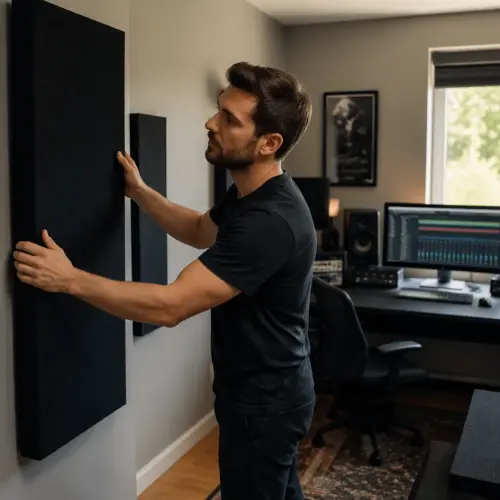
The front wall behind the monitors is the main boundary to manage first, because it affects both speakers similarly if you stay centered. If you can treat only one surface in a home office, thick absorption on the front wall often pays off more than thin foam on random spots.
Do not ignore what is between the speakers, like a big computer monitor, a lamp, or a stack of notebooks. Objects in the middle can cause reflections and diffraction that change how tight the low end feels at the listening position.
Start with the front wall because it controls the strongest early reflection in most desk rooms. A thick panel or a pair of panels behind the speakers can reduce comb filtering that makes bass notes feel like they have holes in them.
If you cannot treat the front wall, a close-to-wall placement sometimes works better than pulling the speakers out into the room. It feels counterintuitive, but it can reduce the depth of cancellations in the upper bass.
Side wall reflections are easy to locate with the mirror trick, and it is worth doing even in a cramped office. When you reduce those reflections, the low end feels more focused because the attack of bass instruments becomes clearer.
Corners are where bass traps do the most work per square foot, because pressure builds up there. If you add treatment anywhere, start with the front corners, then the back corners if you can.
Do not assume a closet full of clothes is useless, because it can act like a crude absorber in the midrange and low mids. It will not replace real bass trapping, but it can reduce harsh reflections that make you misjudge bass brightness and punch.
Windows are another boundary that people forget, and glass reflects low mids more than you want. Heavy curtains can calm the room down, and they often make the bass feel less jumpy because the overall reflection field is reduced.
Furniture placement matters too, because a big cabinet on one side can act like a boundary and change bass loading. If you cannot move it, try to balance it with something similar on the other side or treat the closer wall more aggressively.
Between the speakers, keep the computer monitor as low as practical and avoid wide reflective surfaces. A tall screen can bounce sound back to your ears and make the center image fuzzy, which indirectly affects how you judge bass placement.
When you decide what to do first, prioritize the changes that improve symmetry and reduce strong early reflections. Bass accuracy is rarely one magic fix, but it is often a series of small improvements that add up fast.
Toe-in and aiming: improving consistency at the listening spot
Toe-in is not a style choice, it is a consistency tool, especially at a desk where you are close to the speakers. When you aim the speakers correctly, the direct sound dominates and the room has less power to mess with your bass decisions.
I prefer starting with tweeters aimed at a point just behind your head, then adjusting by small degrees. Too much toe-in can narrow the sweet spot and make the center image feel “stuck,” while too little toe-in can make the desk and side walls louder.
Toe-in affects bass indirectly by changing how much upper mid and treble energy reaches you on-axis. When the top end is wrong, you tend to compensate with level and EQ choices that also change the perceived weight of the low end.
Aiming also changes how much sound hits the desk and reflects up to your ears. If the speakers fire straight ahead with no toe-in, the desk reflection can get stronger and make bass attacks less clear.
Make toe-in adjustments in tiny steps and listen to the center image in mono each time. When the center locks in without sounding harsh, you are usually close to the best compromise for your room.
Keep the toe-in angles identical, because even a slight mismatch can make one speaker feel louder in the low mids. That imbalance can make you pan bass harmonics incorrectly or over-compress one side of a stereo bass patch.
If your speakers have a wide dispersion design, you may need less toe-in than you think. If they are more directional, a bit more toe-in can reduce side wall reflections and improve punch.
Do not judge toe-in while you are leaning forward to tweak a plug-in, because your head position changes the response. Lock your chair, sit back, and listen like you actually mix.
Also check that both speakers are aimed at the same height, because toe-in is not only horizontal. A small vertical mis-aim can change the crossover region and make the bass-to-mid transition feel disconnected.
When toe-in is right, the bass feels centered and stable even when you move your head a little. When toe-in is wrong, the bass seems to shift with tiny movements, which is a sign you are hearing too much room and not enough direct sound.
- Aim tweeters to cross 6 to 18 inches behind your head
- Match toe-in angle left and right with a ruler or angle app
- Keep speaker faces the same distance from the desk front edge
- Recheck toe-in after moving monitor stands even slightly
- Confirm the center image with mono pink noise or a mono vocal
- Lock the chair position before judging bass changes
Listening position and room modes: avoid the worst seat in the room
Many home offices put the chair at the center of the room, and that spot often has deep bass nulls. If your bass disappears on certain notes, you may be sitting in a modal dip that no monitor upgrade will solve.
A good starting point is to place your ears about 38 percent of the room length from the front wall, then adjust by ear and measurement. Even a move of 6 to 12 inches can change the 60 to 120 Hz region in a big way.
Keep the desk centered between side walls if you can, because symmetry reduces left-right differences. If the room is asymmetrical, you can still get better bass by keeping the listening position centered on the speakers and treating the closer side wall.
Do not forget the ceiling, because a low ceiling creates a strong vertical mode that changes bass perception. If your room has an 8 foot ceiling, bass traps in the front corners and a thick ceiling cloud can clean up the low mid mud that masks true bass.
Room modes are basically the room ringing at certain frequencies, and your listening position decides whether you sit in a peak or a null. That is why two people can hear completely different bass in the same room just by sitting in different spots.
If you sit with your head close to the back wall, the bass can feel exaggerated and uneven. Pulling the chair forward a bit often makes the low end tighter, even before you add any treatment.
Try not to place the listening position exactly halfway between the front and back walls. That center line is commonly where strong cancellations land, especially in the upper bass where musical fundamentals live.
Height matters too, because your ears are not always at the same vertical spot when you work. If you alternate between sitting and standing, you are changing how you excite vertical modes and how the bass feels.
In a home office, the desk itself can force you into a bad position, so consider moving the entire desk rather than only moving the speakers. A few inches of desk movement can be the difference between a bass hole and a usable response.
When you find a good listening position, mark the chair location on the floor with discreet tape. It sounds obsessive, but it prevents you from blaming the speakers for what is really a chair drift problem.
It also helps to keep your head away from the exact center between floor and ceiling, although that is harder to control. A thicker chair cushion or a slight change in sitting height can sometimes smooth a stubborn low mid issue.
If you have a couch or a bed in the room, it can act like a big absorber and change the bass decay time. That can be good, but it also means moving furniture changes the low end, so be aware when you rearrange the office.
The best seat in the room is the one where bass notes are most even, not the one that feels the loudest. Once you find that seat, your EQ moves become smaller and your mixes start translating faster.
A quick calibration routine you can repeat after changes
Every time you move speakers, change monitor stands, or adjust speaker height, run the same short routine so you do not fool yourself. Consistency beats “tweaking” because your ears adapt fast and your memory is unreliable.
Start with level matching using an SPL meter app, then verify the center image in mono. After that, use a slow sine sweep or a bass-heavy reference track you know well, and write down what changed.
If you can, measure with Room EQ Wizard and a cheap USB mic like the UMIK-1, because graphs reveal nulls you keep rationalizing away. You do not need perfection, but you do need to see whether your “fix” moved the problem or reduced it.
Finally, check translation with headphones you trust, then come back to the monitors and listen quieter than normal. When how to set up monitors for accurate bass is working, the bass stays readable even at low volume.
Pick two or three reference tracks that cover different bass styles, like a tight kick-and-bass mix and a track with deep sustained sub. Using the same references every time keeps you from chasing whatever song you happen to like this week.
During level matching, do not aim for a random number, aim for repeatability. If you always calibrate to the same comfortable level, your bass judgments become more consistent and less mood-dependent.
When you check mono, listen for whether the low end collapses cleanly into the center. If the bass seems to shift or hollow out in mono, you may have placement asymmetry or phase issues.
With a sine sweep, do not only listen for loud peaks, listen for sudden dropouts. Those dropouts are the dips that make you boost bass that is already present in the track.
If you use REW, take a measurement before you move anything and label it clearly. A simple before-and-after comparison prevents you from trusting a change that only feels better because you expected it to.
Also measure both speakers together and each speaker individually. A problem that looks fine in stereo can be hiding as a left-right mismatch that shows up later as weird bass balance in your mixes.
After measurements, do a short working test by making a small EQ move on a mix and checking if it behaves as expected. If a 1 dB change at 80 Hz feels like nothing, or feels like a massive swing, your monitoring chain is still lying.
Keep notes on speaker distances, stand height, and toe-in so you can return to a known good setup. The best calibration routine is the one you can redo quickly when life forces you to move the desk.
End the routine with a quiet listen because low volume is brutally honest about balance. If the bass line is still readable and the kick still has shape, you are in a good place.
Common home office mistakes that wreck bass accuracy
The most common mistake is putting the monitors on the desk, pushed back against the wall, then turning up the low shelf to compensate. That setup usually creates both boundary boom and a cancellation dip, so the bass sounds big and wrong at the same time.
Another mistake is uneven placement, like one speaker on a bookshelf and the other on a stand. Even if the speakers are the same model, the room loading is different and your mixes will lean to one side in the low end.
People also ignore chair position, then wonder why the bass changes day to day. If you roll your chair forward for typing and backward for listening, you are changing the response at your ears every time.
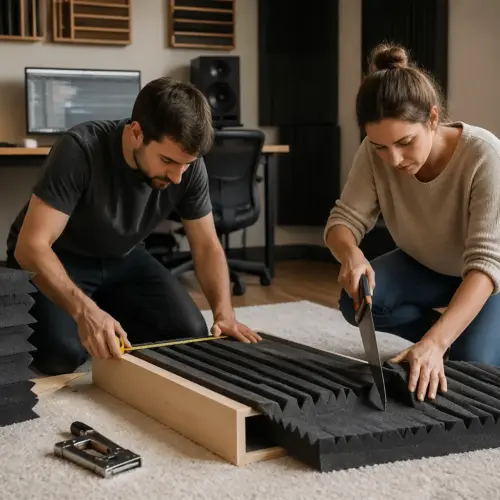
Finally, many setups use random foam squares and call it treatment. If you want bass accuracy, you need thickness and coverage in the corners and at first reflection points, not decoration.
A classic mistake is mixing with the speakers too far apart because the desk looks nicer that way. When the triangle is stretched, the phantom center weakens and bass elements that should feel centered start to feel vague.
Another one is putting one speaker closer to the front wall because a plant, printer, or shelf is in the way. That small difference can create different boundary cancellations, and you end up EQing to fix a problem that only exists on one side.
Many people also place the speakers behind a big screen or between tall objects, which causes diffraction and comb filtering. The result is a low end that feels disconnected from the mids, like the bass is coming from somewhere else.
Using the monitor’s rear-panel EQ switches as a first step is another trap. Those switches can help, but they cannot fix a deep null, so you can end up with a new problem layered on top of the old one.
Subwoofer mistakes are common too, especially setting the crossover too high to “fill in” what small monitors cannot do. A high crossover makes the sub localizable and creates a messy overlap that hides the true bass level.
Another sub mistake is placing it under the desk without checking for rattles and resonances. The desk cavity can act like a drum, and you will hear more furniture than sub.
People also forget that open-back headphones and speaker monitoring are different references, then they try to match one to the other by boosting bass on the speakers. The better move is to fix the room and use headphones as a cross-check, not as the target curve.
Ignoring noise and vibration is another bass killer, because buzzing objects mask low detail. If a lamp, picture frame, or loose desk panel rattles, you will misjudge sustain and think the bass is distorted.
One more mistake is constantly changing the setup and never learning it. A slightly imperfect setup that stays consistent is more useful than a theoretically perfect setup that changes every week.
Finally, people mix too loud in small rooms, which excites modes and makes the bass feel more dramatic than it is. Lower monitoring levels often reveal the real balance and make your bass decisions more accurate.
Conclusion
Accurate bass in a home office comes from geometry first, then treatment, then small tweaks like toe-in. When you get monitor stands, speaker height, symmetry, and boundary distance under control, the low end stops shifting under your feet.
Keep your setup repeatable, measure when you can, and trust changes you can recreate the next day. If you stick to the routine in this guide, how to set up monitors for accurate bass becomes a practical checklist instead of a guessing game.
The big win is that you stop mixing against the room and start mixing against the track. That change alone makes your low end decisions faster, because you are not second-guessing every kick and bass move.
Do the boring steps first, like measuring distances and matching heights, because they remove the biggest errors. Once the basics are right, even small improvements in treatment or placement become easier to hear and evaluate.
Accept that a home office will never behave like a perfect studio, but it can still be trustworthy. Trustworthy bass is not about hype, it is about knowing what your system is telling you and how it translates.
If you only change one thing today, make the setup symmetric and lock in the listening position. Those two moves solve more bass confusion than most plug-ins ever will.
Once you get a stable baseline, you can make creative choices with confidence instead of compensating for acoustic problems. Accurate bass is not a luxury, it is the foundation that keeps everything else from falling apart.