
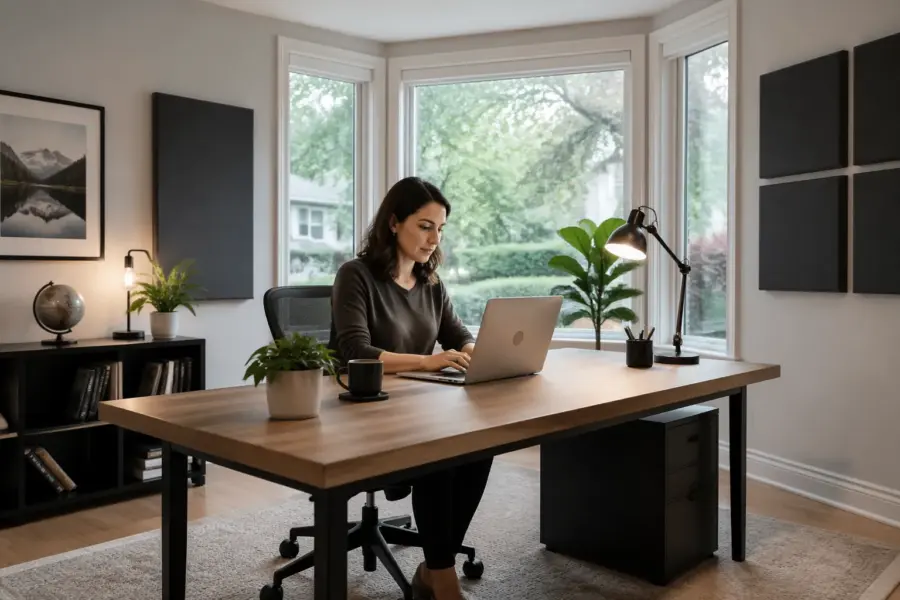
If you are figuring out where to put desk in room with bay window, you are already dealing with a room feature that looks great and sounds complicated. A bay window changes reflection timing, sidewall balance, and even how you judge stereo width.
For calls and casual listening, almost any layout works, but for editing audio or mixing, the desk position matters fast. Glass is a strong reflector, and bay shapes can bounce sound back at you from odd angles.
I am going to be opinionated here because vague advice wastes time. If you start with symmetry, control window reflections, and keep speaker placement consistent, you can make a bay-window office behave like a normal room.
The tricky part is that a bay window is not just “a window,” it is several planes of glass plus trim, sill, and sometimes a seat that all reflect differently. That mix can make the room sound fine at one spot and strangely bright or hollow a foot away.
You do not need to turn your home office into a studio bunker to get good results. You just need to choose the least bad geometry, then control the obvious reflection paths with simple, repeatable moves.
What bay windows do to reflections and balance
A bay window is basically a hard, angled reflector that sits close to where you want clean imaging. Those angled panes can send early window reflections right back to your ears, even when the side walls are treated.
Unlike a flat window, a bay creates multiple reflection paths with slightly different arrival times. That smears the phantom center and can make vocals sound like they have a faint comb-filtered edge.
The other issue is balance, because bays are often off-center relative to the room. That asymmetry changes what each speaker “sees” on the left and right, so the stereo image pulls toward the more reflective side.
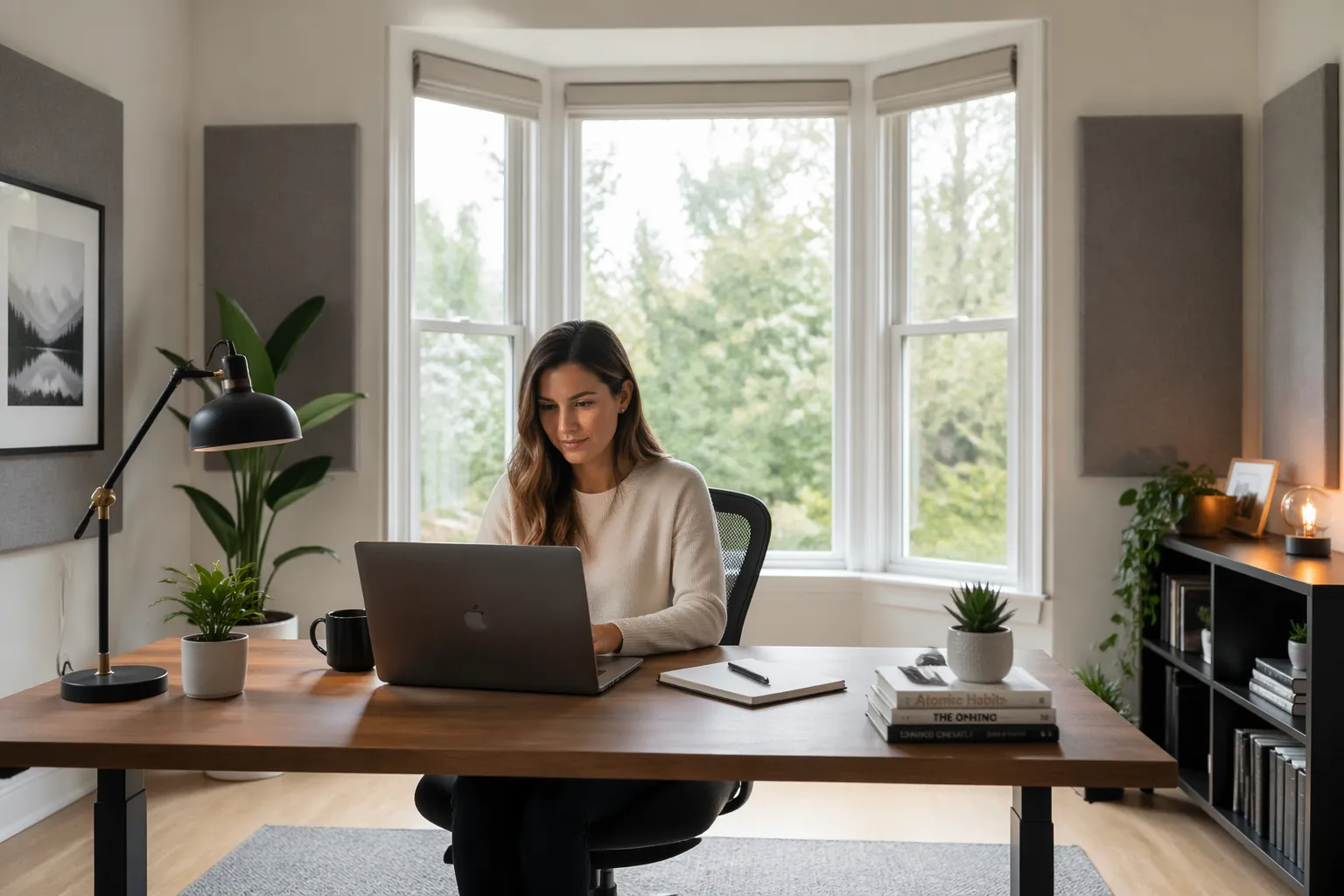
Low frequencies do not care much about glass itself, but the bay changes boundary distances. That shifts where desk and speakers sit relative to front-wall and corner loading, which can move a bass null right onto your chair.
Early reflections are the ones that arrive so quickly your brain blends them with the direct sound, and bays are great at creating those. When those reflections are uneven left to right, your panning decisions start to feel inconsistent even at moderate volume.
The bay also tends to add a bright “sheen” because glass reflects a lot of upper mids and highs with very little loss. If you find yourself turning down 3–8 kHz on everything, the room might be pushing you there.
Another sneaky effect is that bay angles can act like a weak focusing surface, sending a little extra energy back toward the listening position. It is not a perfect mirror, but it can make certain frequencies feel louder in the chair than they are elsewhere.
If the bay has deep trim, a sill, or a window seat, you get additional short reflections from those horizontal surfaces. That can stack with desktop bounce and make speech sound spitty or overly crisp.
On the flip side, bays can sometimes help by breaking up a perfectly flat rear wall that would otherwise slap back hard. The problem is that you do not get to choose how it breaks up, so you still need to manage it intentionally.
Think of the bay as a small acoustic “room within the room” that changes the effective shape of the space. Once you accept that, you stop trying to center everything on the bay and start centering everything on the listening axis.
Layout option 1: desk facing the window (pros and cons)
Facing the bay window feels natural in a home office because you get daylight and you are not staring at a blank wall. It also keeps your monitors from blocking the glass, which some people care about for the view.
Audio-wise, the big advantage is that the bay is in front of you, not beside you, so side-to-side imaging can stay cleaner. The downside is that the front wall becomes a glass wall, so early window reflections land right where clarity lives.
Speaker placement gets tricky because you may end up placing speakers close to the window line, and the bay angles can bounce energy back toward the listening position. If you do this layout, pull the desk back so the speakers are not jammed into the bay alcove.
This option works best when you can hang heavy curtains across the entire bay and keep them closed during critical listening. If you refuse curtains, expect to spend more effort dialing toe-in and accepting that the top end may sound a bit “glassy.”
There is also a workflow advantage here if you do a lot of video calls, because your face is naturally lit from the front. Just remember that the same light that helps your camera is also a hard acoustic surface unless you cover it.
If the bay has three sections, people often place the desk centered on the middle pane, but that is not automatically the best audio choice. The best center is the one that gives you equal left-right boundaries for the speakers, even if your chair is slightly off the visual center of the glass.
Be careful with putting speakers directly on the desk in this layout, because the desk and the window can create a double reflection that exaggerates sibilance. Stands or isolation risers help, but the real win is keeping the speaker baffles forward and the desk surface clear.
In small rooms, facing the window can force you to sit too close to the rear wall, which makes bass response harder to trust. If your head is almost touching the back wall, you will hear more room than speaker in the low end.
If you like this layout for comfort, treat it like a nearfield workstation first and a “room” second. Short listening distance, controlled reflections, and conservative volume make the bay far less dramatic.
One more practical downside is cable and power management, because bays often have outlets in awkward places or not at all. If you end up running power strips across the window area, you will avoid curtains, and then the acoustics get worse.
Layout option 2: desk on the window wall (when it works)
Putting the desk on the window wall means the bay is behind your monitors or behind your laptop screen. People consider it when the opposite wall has doors, built-ins, or a weird bump-out that ruins furniture placement.
From an audio perspective, this is usually the hardest layout to get right because your speakers are almost guaranteed to be close to glass. The bay can also force uneven distances to the left and right panes, which turns asymmetry into a daily annoyance.
Still, it can work if the desk sits outside the bay alcove and the speakers are not firing into the angled glass at close range. The goal is to avoid having the bay act like a shallow horn right behind the speakers.
If you must sit with the bay directly behind the monitors, you want the thickest curtains you can tolerate and you want them to cover more than just the glass. Covering the trim and the returns matters because those edges reflect like little mirrors.
Pay attention to how the bay changes the left and right “corner” behavior, because those pseudo-corners can load bass differently. You might find one speaker sounds thicker even when levels match, and that is usually boundary distance, not a faulty monitor.
This layout is also where people accidentally create a strong flutter echo between the desk wall and the opposite wall. If you hear a quick metallic ring when you clap, you will need absorption on the opposite wall even if the bay is the obvious feature.
Sometimes the best compromise is to rotate the desk slightly so the speakers are not parallel to the window wall. A small angle can change the reflection path enough to reduce the harshness, even if it is not “perfect studio geometry.”
Nearfield monitors with controlled directivity help here because they spill less energy sideways into the glass. If your speakers are wide-dispersion and bright, the bay will make them feel even more forward.
If you do voice work, this layout can put the mic close to the bay, which increases the chance of hearing room reflections in the recording. A reflection filter can help a bit, but a curtain behind the mic helps more because it reduces the actual room bounce.
| Room condition | What to do with speaker placement | What to do about window reflections |
|---|---|---|
| Wide bay, desk can sit outside the alcove | Keep speakers on stands, baffles slightly forward of the window line | Full-width blackout curtains, pleated and thick |
| Shallow bay, desk must sit inside the alcove | Use nearfields, very close listening distance, aggressive toe-in | Curtains plus a thick rug and a desk pad to cut bounce |
| Bay off-center relative to room | Shift desk so tweeters are equidistant to side boundaries | Treat the more reflective side heavier, add a movable gobo |
| Hard floors and bare side walls | Raise speakers to ear height, avoid corner proximity | Add sidewall panels at first reflection points, then curtain the bay |
If you are stuck with this option, set expectations: you are mostly trying to get “consistent enough” rather than perfectly neutral. Consistency is what lets you learn your room and make decisions that translate.
Do not underestimate how much a few inches of speaker movement can change things when glass is behind them. Mark your speaker stand positions with tape once you find a spot that behaves, because it is easy to lose it during cleaning or rearranging.
Also watch for rattles, because bay windows sometimes have loose panes, blinds, or trim that buzz at certain bass notes. That kind of noise makes you chase phantom distortion problems that are really just the window vibrating.
If you can add anything permanent, adding a curtain track that lets you fully cover the bay is the most practical “treatment” you can buy. It is not glamorous, but it solves more problems than most small foam kits ever will.
Layout option 3: desk on the opposite wall (often the easiest)
If you want the simplest answer to where to put desk in room with bay window, start by trying the wall opposite the bay. You get a solid front wall behind the speakers, and the bay becomes a rear-wall feature you can control.
This setup often gives you more freedom with speaker placement because you can keep equal left-right distances to side walls. When the bay is behind you, window reflections still matter, but they arrive later and are easier to tame.
For monitoring, I like this option because you can treat the front wall with broadband panels and keep the speakers away from glass entirely. You can also place bass traps in the front corners without fighting a window seat or trim.
The tradeoff is comfort, because you might lose the “desk with a view” vibe and you might see the bay in your webcam background instead of out in front. If you take calls all day, that may be a bonus, because backlighting from the window is less of a problem.
This layout also tends to make your desk feel more stable visually because it is anchored to a flat wall. That matters because you are less tempted to keep shifting the desk around, which is how many people end up with a never-finished setup.
Acoustically, having a solid front wall makes it easier to predict what the speakers are doing in the low end. You still have room modes, but you are not adding a weird cavity right where the speakers need consistent boundaries.
If the bay has a seat, it can actually be useful behind you as a place to put a thick cushion, a folded duvet, or a temporary absorber during work sessions. That is not “proper treatment,” but it can take the edge off rear-wall slap without changing the room permanently.
Some people worry that having the bay behind them will make the room sound “open” and distract them, but that is usually a reflection control issue, not a layout issue. If you curtain the bay and add a rear absorber, the room can feel surprisingly controlled.
Another benefit is that you can keep your speakers at a more standard distance from the front wall without fighting window trim. That makes it easier to follow common placement starting points and then fine-tune from there.
If you do both audio and general office work, this layout makes it easier to have two modes: curtains open for daylight, curtains closed for critical listening. The bay becomes something you manage intentionally instead of something you work around all day.
Keeping left-right symmetry when the window is off-center
Asymmetry is the quiet killer in bay-window rooms, and it shows up as a drifting center image and uneven reverb tone. You can have great gear and still hate what you hear if one side reflects harder than the other.
Start by choosing a listening axis that gives you the most symmetry, even if it means the desk is not centered on the bay itself. Center the desk on the room’s usable width, then treat the bay as a separate problem.
Measure from each tweeter to the nearest side boundary, and get those distances as close as you can. If one side is a bay return and the other is a flat wall, you may need to cheat the desk position a few inches to make the early reflections match.
When you cannot fix geometry, you can still match decay by treating the louder side more. A thick curtain on the bay side plus a broadband panel on the opposite sidewall can pull the stereo image back to center.
Do not confuse visual symmetry with acoustic symmetry, because the bay almost always wins visually. Your ears care about distances and angles, not whether the desk looks centered under a window.
It helps to think in terms of first reflection points and not just “left wall versus right wall.” If the bay creates an extra reflection point on one side, you need an equivalent absorption or diffusion strategy on the other side.
Sometimes the best move is to rotate the entire setup so neither speaker fires directly at the bay returns. A small rotation can make the reflection pattern more similar even if the room is not perfectly rectangular.
If you are using a subwoofer, asymmetry gets more annoying because bass response changes a lot with placement. In an off-center bay room, you may get better results placing the sub slightly off-center and then adjusting phase and crossover carefully.
Be honest about how much asymmetry you can tolerate for the kind of work you do. For podcast editing, you can live with more imperfection than for mixing music where tiny pan and reverb choices matter.
When you find a position where the center image feels stable, lock it in and stop chasing the last inch. It is better to learn a consistent setup than to keep moving the desk and never build a mental reference for the room.
Simple ways to reduce glass-related reflections
For window reflections, the highest return upgrade is heavy curtains that actually have mass, not thin decorative panels. I prefer a double layer, with a dense blackout curtain and a softer outer layer that stays pleated.
If curtains are not an option, a movable absorber panel on a mic stand works better than people expect. You can park it near the most reflective pane during editing, then move it away when you want daylight.
Angled glass can bounce sound down onto the desk, so do not ignore the desktop reflection. A large desk mat, a slightly tilted monitor, and keeping speakers off the desk reduce that “zing” you hear on claps and consonants.
Plants help visually but do almost nothing for mid and high frequency reflections unless they are dense and large. If you want a practical hybrid, use a bookcase or open shelving near the bay returns, because irregular surfaces break up specular bounce.
Blinds and shades are mostly visual tools, and most of them do not absorb enough to matter acoustically. Some cellular shades help a little, but they are not a replacement for thick fabric with air behind it.
Do not forget the floor, because a bay window often comes with a hard floor area that is left bare to look nice. A rug placed between the speakers and the listening position can reduce the combined brightness from glass plus floor bounce.
If you can add one acoustic panel, prioritize the sidewall first reflection points before you go crazy on the bay. Side reflections are usually the biggest imaging killer, and cleaning those up makes the bay easier to live with.
For a temporary fix, even a thick moving blanket hung on a curtain rod can be surprisingly effective during work sessions. It is not pretty, but it tells you quickly whether reflections are the real problem before you spend money.
Also consider the window frame and trim, because glossy paint and hard edges reflect just like glass at high frequencies. If the bay has a big painted sill, covering it with a fabric runner during mixing can reduce a sharp early bounce.
If you are hearing a specific ringing tone, check for resonant objects near the bay like picture frames, lamps, or a hollow window seat. Fixing those little rattles and resonances can clean up the room more than you would expect.
Desk facing the window: how to make it workable for audio
If you insist on facing the bay, commit to controlling the front-wall reflection problem. That usually means curtains closed while you do any work where imaging matters, even if it feels like a shame.
Keep the speakers and your head in a tight nearfield triangle so the direct sound dominates. When the listening distance is short, the window reflections drop in level relative to the direct sound and you get cleaner decisions.
Toe-in helps more than people think in this layout, because it aims the tweeters away from the glass and reduces the energy that hits the bay. I often aim the speakers so the axes cross just behind my head, which tightens the center image.
Watch your screen glare and do not solve it by pushing the desk deeper into the bay. The deeper you sit into that alcove, the more the bay behaves like a reflector shell around you, and the room starts sounding like a bathroom.
Try to keep the speakers slightly in front of the window plane rather than recessed into the bay geometry. Even a few inches forward can reduce the strength of the immediate reflection off the closest pane.
If you have to place the desk close to the bay, lower the listening volume and rely on reference tracks at consistent levels. Loud monitoring excites the room more, and the bay will remind you that it is there.
Use stands if you can, because desk-mounted speakers increase the strength of desktop bounce and make the window reflection problem feel worse. If stands are not possible, use isolation pads and keep the speakers as close to the front edge of the desk as safety allows.
Pay attention to the vertical angle, because the bay can reflect sound down and the desk can reflect sound up. A small tilt of the speakers so they aim at ear height can reduce the amount of energy hitting those surfaces.
If you do any mic recording at the desk, position the mic so it is not “looking” at the glass. A mic aimed away from the bay and toward an absorber or curtain will pick up less of the bright room return.
Finally, do not try to solve everything with EQ, because reflections are time problems more than frequency problems. If you fix the reflection path with curtains and placement, the tonal balance often improves on its own.
Desk on the opposite wall: dialing in speaker placement and distance
With the desk on the opposite wall, you can treat the speaker wall like a normal studio front wall. Put the speakers on stands, get tweeters at ear height, and keep the desk surface as low and uncluttered as you can.
Start with the listening position about 38 percent of the room length from the front wall, then adjust by ear and measurement. Small moves matter, because a bay window at the rear can create a bass buildup that shifts with inches.
Keep the speakers equally spaced from the side walls, and do not let the bay’s visual center trick you into skewing the setup. Symmetry around the listening axis beats symmetry around the architecture every time.
Once the speakers are placed, treat the rear wall and bay area with thick absorption or heavy curtains to control slapback. If you hear a distinct “ping” when you clap, that is your cue that the rear reflections are too strong.
Start with an equilateral triangle between your head and the two speakers, then adjust speaker spacing for a solid center image. If the center feels weak, the speakers are often too far apart or the toe-in is too shallow.
Keep the speakers the same distance from the front wall, because mismatched front-wall distance can shift bass response and imaging. If one speaker is closer because of furniture, move the furniture, not the speaker.
Do not sit exactly halfway between front and rear walls, because that is a common spot for strong modal nulls. The 38 percent starting point is not magic, but it avoids the worst “center of the room” bass hole in many rooms.
If the bay is deep, you may get a little extra bass buildup behind you that makes the low end feel thicker at the chair. A thick curtain plus a rear absorber panel can reduce that effect and make bass decisions more reliable.
In this layout, cable routing is usually easier, which makes it more realistic to put speakers on proper stands. When the setup is physically stable and repeatable, your ears adapt faster and you stop second-guessing everything.
If you are using a large desk, consider pulling it slightly off the front wall so you can place absorption behind the speakers. A little space behind the desk can also reduce the sense that the front wall is “shouting” back at you.
Quick placement checks you can do in 15 minutes
You do not need fancy tools to catch obvious problems, you need a couple of repeatable checks. Use a mono vocal track and see if the voice locks to the center or wanders with small head movements.
Walk the room while pink noise plays quietly, and listen for spots where bass drops out hard. If your chair lands in one of those holes, change the desk distance from the wall before you buy anything.
Do the mirror test for first reflections on side walls and on the bay returns if they are near the speakers. When you can see a speaker in the mirror from your listening position, that spot is a candidate for absorption.
Record a short spoken clip on your work mic and listen for a bright “edge” that comes and goes as you lean forward. That usually points to desktop bounce or window reflections, not a mic problem.
Clap once and listen to the decay, but do it in the chair and also standing near the bay. If the bay area has a sharp, fast ring, you know exactly where you need curtains or absorption first.
Play a familiar reference track and flip between normal stereo and mono if your interface or software allows it. If mono collapses weirdly or feels phasey, you likely have strong early reflections or uneven speaker distances.
Use a simple phone SPL app to match speaker levels, because mismatched levels can masquerade as an asymmetry problem. Once levels match, it is easier to hear what the bay is actually doing.
Move the chair forward and back in small steps while a bass-heavy loop plays, and note where the bass feels most even. If one spot is clearly better, build the layout around that spot even if it is not where the desk “should” go.
Check for rattles by playing a slow sine sweep at low volume and listening near the bay trim and blinds. Fixing a buzz can instantly make the room feel cleaner and less fatiguing.
Take a quick photo of the setup when you find a promising placement. That makes it easier to return to a known-good position after you experiment with other layouts.
Best practices for keeping the bay from wrecking symmetry
If the bay is off to one side, treat it like a sidewall reflection problem even if it sits partly behind you. The goal is to make the left and right early reflection pattern similar enough that your brain stops noticing the room.
You can also use furniture placement to fake symmetry, and it is cheaper than rebuilding a wall. A tall bookcase on the non-bay side can balance the reflective area of the bay returns and reduce asymmetry in the midrange.
Consistency matters more than perfection, because you will adapt to a stable room faster than to a constantly changing one. Once you have a workable symmetry plan, stop tweaking daily and let your ears learn the setup.
When you add treatment, add it in matched pairs when possible, because that keeps left and right decay similar. Even if one side is “worse,” a matched approach often sounds more natural than treating only one side aggressively.
If the bay is creating a bright side, you can sometimes fix it by making the opposite side slightly brighter too, using diffusion instead of absorption. The idea is not to make the room dead, it is to make it even.
Do not forget the ceiling, because a bay can change how ceiling reflections interact with the listening position. If your room is low and reflective, a ceiling cloud above the desk can do more for clarity than another panel on the wall.
If you cannot treat permanently, build a “work mode” with movable pieces like gobos, thick curtains, and portable panels. A room that transforms quickly is more likely to be used correctly than a room that requires an hour of setup every time.
Try not to place tall reflective objects like glass-front cabinets near one speaker but not the other. In a bay room, you already have asymmetry pressure, so avoid adding more reflective imbalance by accident.
When you are unsure, prioritize equal speaker distances and a stable center image over everything else. If the center locks, most other decisions become easier and the bay becomes less distracting.
- Center the listening position on usable room width
- Match tweeter-to-sidewall distances within an inch or two
- Use identical sidewall panels at first reflection points
- Hang full-width curtains across the bay for work sessions
- Add a movable absorber near the brighter side
- Keep the desk and speakers out of the bay alcove
If you follow that list and the room still feels skewed, the next step is usually measuring with a simple measurement mic and software. Measurements do not replace listening, but they can confirm whether the bay is causing a real imbalance or whether it just looks like it should.
Also remember that symmetry includes the stuff on your desk, like a computer tower, a lamp, or a stack of notebooks that sits on one side. Clear the desk and re-check imaging before you assume the bay is the only problem.
Finally, keep your chair position consistent, because drifting left or right by a few inches can make an asymmetrical room feel twice as bad. Mark the chair location subtly if you tend to roll around while working.
Conclusion
When people ask where to put desk in room with bay window, they usually want one perfect answer, but the room decides for you. If you can, put the desk on the opposite wall, then manage the bay as a rear reflection source.
If you face the window, accept that window reflections are your main enemy and plan around curtains, nearfield listening, and careful toe-in. If the bay forces asymmetry, chase left-right balance in speaker placement and treatment before you chase new gear.
No matter which layout you choose, the winning move is making the setup repeatable so you can trust what you hear day after day. Once the bay is controlled, it goes back to being what it should be: a nice architectural feature instead of an audio problem you fight constantly.